AMP Builder
latest

Installation

  • Server requirements
  • Creating a new database
  • Uploading Files
  • Change Domain Document Root
  • Permission
  • Installing
  • Updating
  • Changelog

Admin Mannual

  • Logging in
  • Templates
  • Manage Libraries

Configuration

  • Subdomain Publishing
  • Custom Domain Publishing
  • Email

CRM Configuration

  • Mailchimp
  • Saleforces
  • Infusionsoft(Keap)
  • Aweber
  • ZohoCRM
  • Hubspot

User Mannual

  • Loggin in/Registering
  • AMP Pages
  • Publishing & Domain names
  • Templates
  • Module
  • Section
  • Popup
  • Carousel
    • Adding a Carousel
    • Adding new Slide
    • Delete a Slide
    • Adding Carousel Content
  • Form
  • Form Integration
  • CRM Configuration
  • Google Recaptcha
AMP Builder
  • Docs »
  • Carousel
  • Edit on GitHub

Carousel

Adding a Carousel

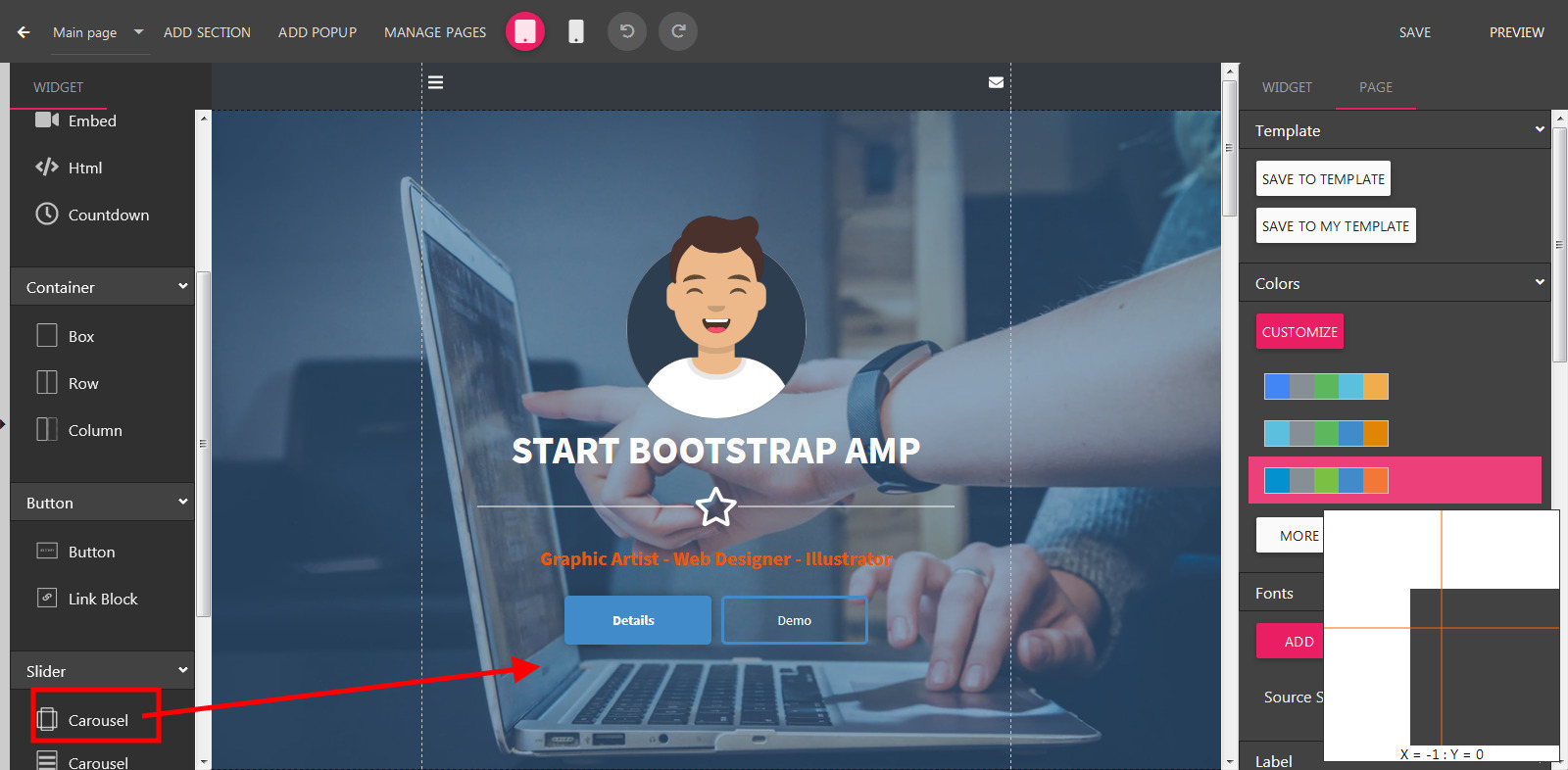
  • Open the Builder, drag the Carousel widget to the builder canvas.
../_images/addcarousel.jpg

Adding new Slide

  • Select a Carousel in the Builder.
  • On the right panel, scroll down to show to Slides section
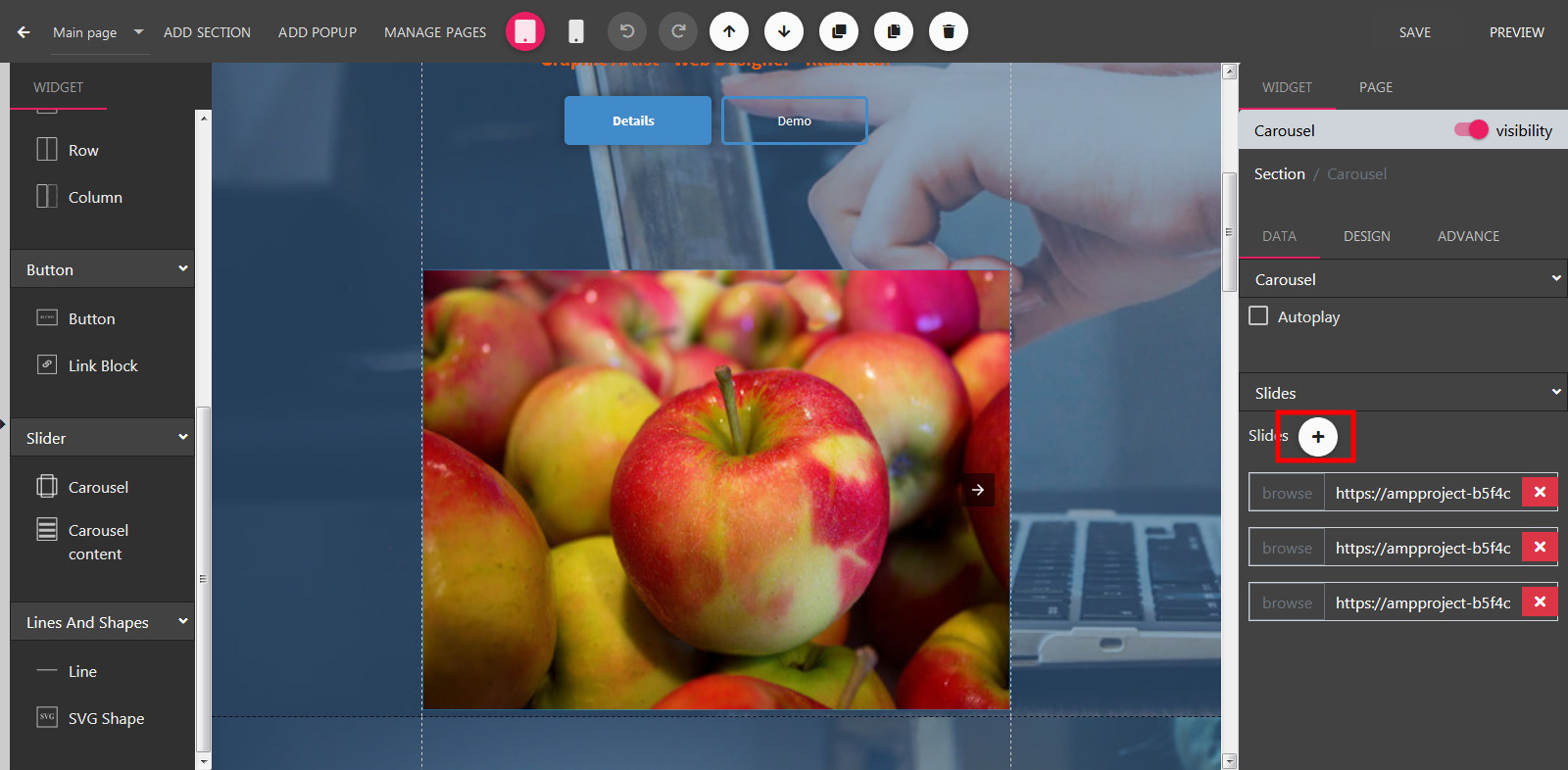
../_images/addcarouselslide.jpg
  • Click Add Slide button.
  • Select an image and click Select.

Delete a Slide

  • Select a Carousel in the Builder.
  • On the right panel, scroll down to show to Slides section
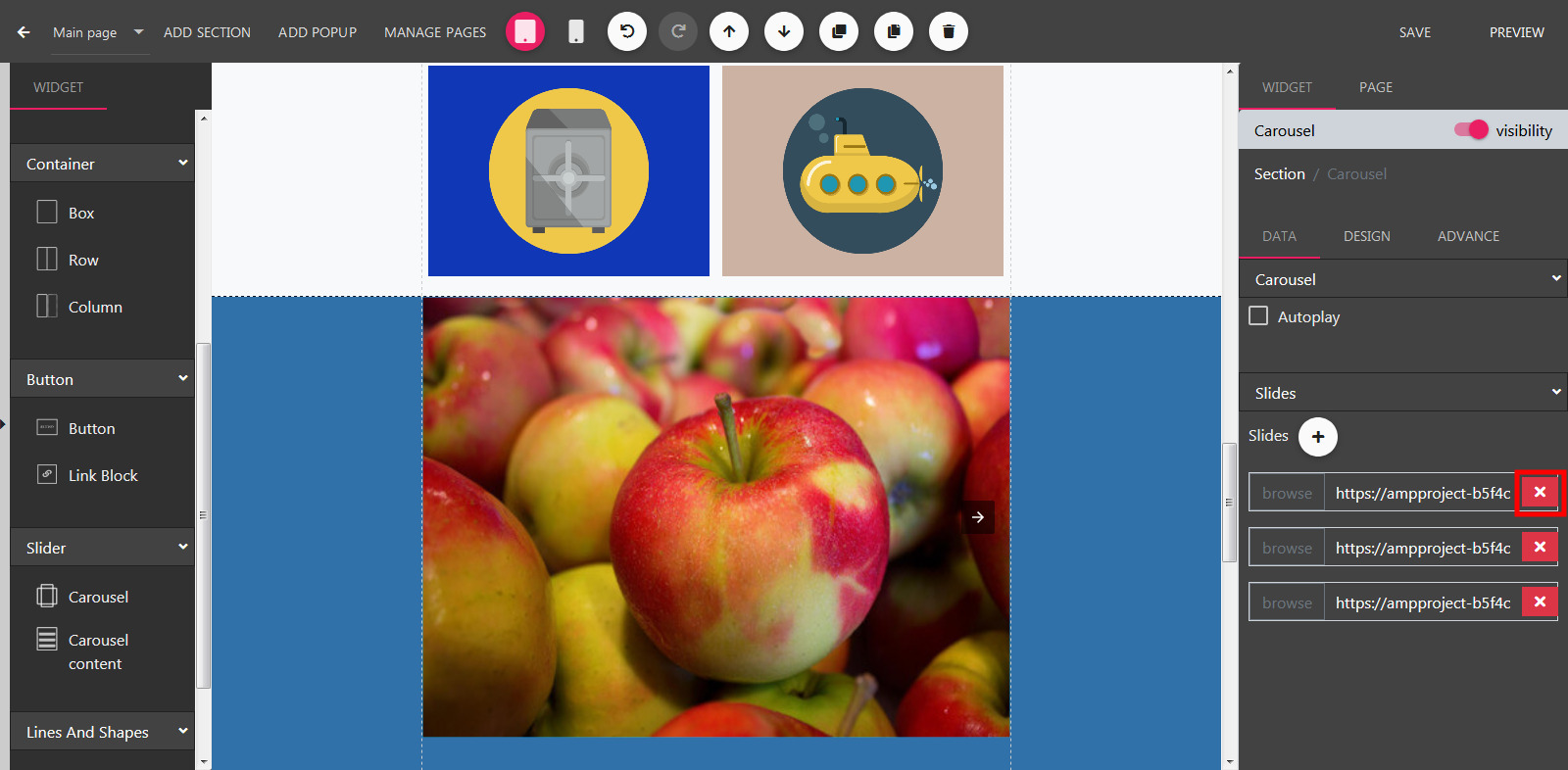
../_images/deletecarouselslide.jpg
  • Click Remove button on relevant slide.

Adding Carousel Content

  • Select a Carousel in the Builder.
  • Drag the Carousel widget to the relevant Carousel.
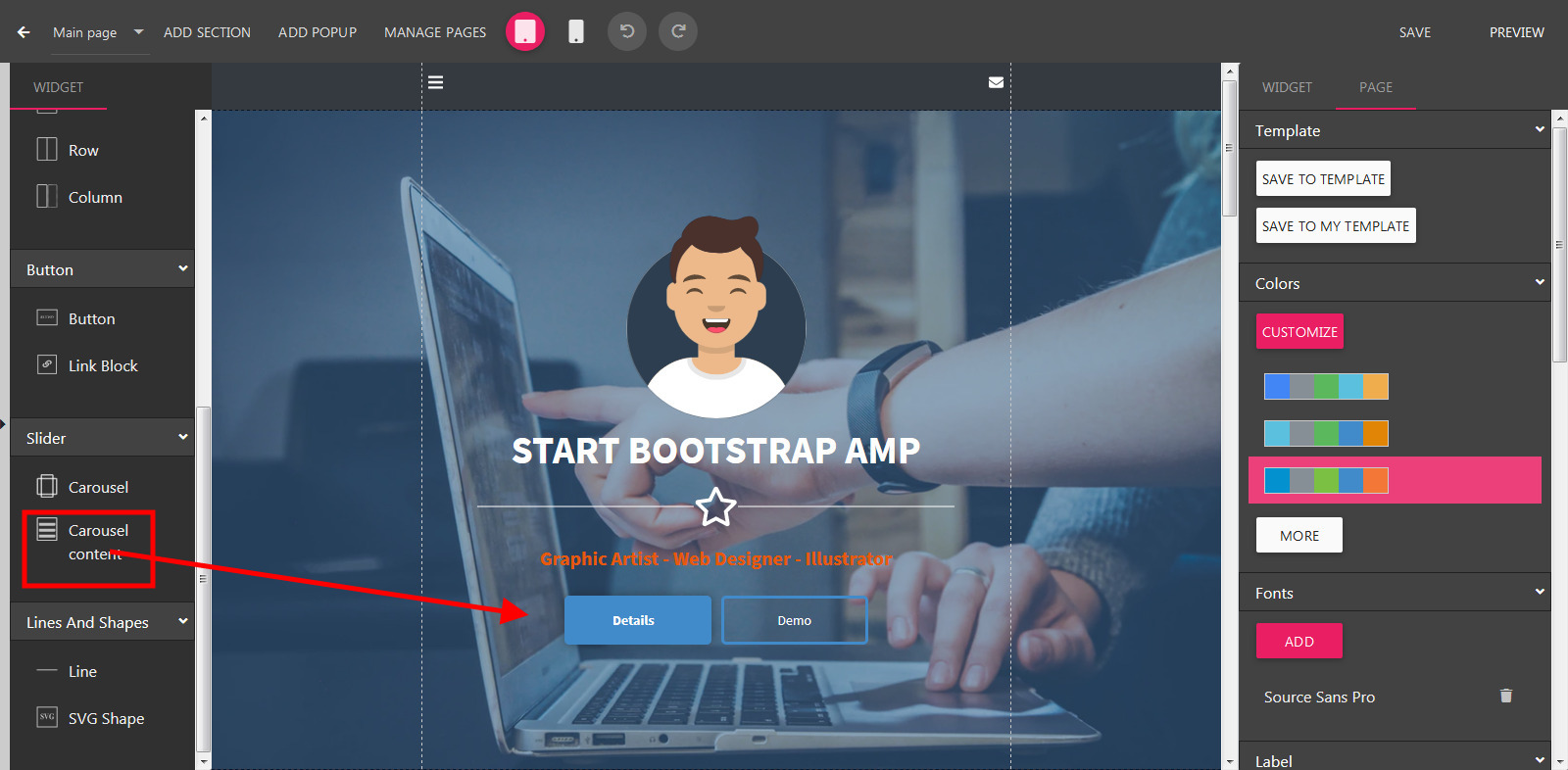
../_images/addcarouselcontent.jpg
  • Next, you can drag Text or Button into this content.
Next Previous

© Copyright 2019, STSEngine Revision 3a9dd254.

Built with Sphinx using a theme provided by Read the Docs.